How to Stress-Test a Plywood Layout Before Buying
How to Stress-Test a Plywood Layout Before Buying
Test kerf, trim, defects, grain, sheet-size variation, and one damaged part so a fragile best-case layout does not control the material order.

Research Lens
What evidence should control “how to stress test a plywood layout” before material is purchased or work becomes irreversible?
A purchase-ready layout should survive small realistic input changes or clearly identify which assumption would trigger another sheet. The working sequence is to Save the baseline, change one variable at a time, record sheet-count breakpoints, inspect the last sheet, and buy contingency only when the risk justifies it.
Decision Metrics
Visual model
How to Stress-Test a Plywood Layout Before Buying: evidence-to-action workflow
A durable answer connects verified inputs, physical-fit review, full-sheet purchasing, shop execution, and actual project results.
The Short Answer
For “how to stress test a plywood layout,” the practical answer is this: A purchase-ready layout should survive small realistic input changes or clearly identify which assumption would trigger another sheet. This decision should be written into the current project revision before material is ordered or a production setup is locked. It gives the designer, buyer, and builder the same rule to review instead of leaving a critical assumption inside a drawing or calculator.
Record the Inputs That Control the Result
Capture base sheet count, kerf range, trim range, sheet tolerance, defect zones, rotation locks, likely replacement parts, supplier stock, and contingency cost. Mark each value as measured, selected, calculated, assumed, or awaiting approval. A measurement should name its location and date; a selected product should name its model or material code. This is the evidence that lets someone reproduce the decision when a sheet, room, tool, or hardware component behaves differently than expected.
Turn the Inputs Into a Working Method
A reviewable sequence is to Save the baseline, change one variable at a time, record sheet-count breakpoints, inspect the last sheet, and buy contingency only when the risk justifies it. Keep the original input set beside the resulting layout or cut list, and change only one important constraint at a time when comparing options. That makes it possible to see whether a lower sheet count came from a real improvement or from silently relaxing grain, clearance, strength, finish, or safety requirements.
Check Geometry and Physical Access
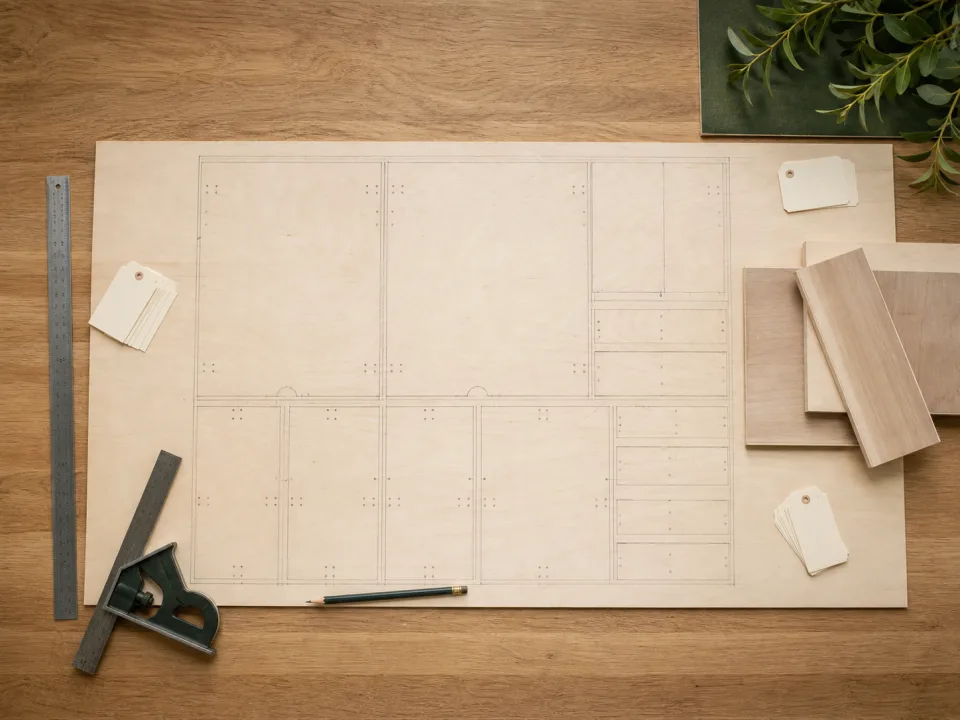
Totals and nominal dimensions are useful, but they do not prove physical fit. Plywood rectangles must fit inside a real trimmed sheet after kerf, grain, and defects. Cabinets and shop fixtures must fit around walls, floors, doors, hardware, utilities, people, tools, service paths, and assembly access. Review the critical plan and section views, then mock up any envelope that moves or carries unusual load.
Review Cost at the Purchase Boundary
Judge material by full sheets and purchasable stock, not theoretical part area. Include delivery, substitutions, specialty thicknesses, damaged-sheet risk, reusable offcuts, and the point where a small dimension change triggers another sheet. For installed work, add the labor and schedule impact of field fitting or replacement. The cheapest-looking input is not cheaper if it creates another trip or rebuild.
Protect the Shop Sequence
Translate the approved plan into reference faces, first cuts, setup groups, part IDs, inspection points, and safe support. Approve one sample before repeating an operation, especially when hardware clearance, paired parts, or a locked stop controls the result. Labels should preserve project, cabinet, material, orientation, and revision through machining, assembly, delivery, and installation.
Avoid the Predictable Failure
The highest-value check prevents this failure: Ordering from a single perfect-fit scenario can cause a second delivery when normal blade, sheet, or damage variation crosses an unseen threshold. Put that check immediately before the irreversible step. If the current evidence cannot resolve the question, pause the affected operation, preserve the material and revision state, and obtain a measurement, product specification, test piece, or approval rather than improvising.
Use CutList for the Action
CutList is the closest WoodCutTool action page for this problem. Use it to convert the verified dimensions, quantities, and constraints into a saved plan or project-specific starting point. Keep its output connected to the same material codes and part IDs used in purchasing and the shop. A tool can expose geometry and totals; it cannot make an incomplete input list correct.
Cross-Check With Plywood Layout Robustness Matrix
Plywood Layout Robustness Matrix provides the supporting method, benchmark, or detailed planning context for this decision. Read it before approving an assumption that changes sheet count, visible grain, hardware fit, structural capacity, installation clearance, or project cost. Save the relevant conclusion with the final revision so the next estimator or builder can understand why the rule was chosen.
Close the Loop After the Build
Record actual material purchased, substitutions, damaged or replacement parts, useful offcuts, setup changes, field-fit dimensions, and the installed result. Compare those facts with the approved plan and note why they differed. This project-specific evidence improves the next cut list, quote, material policy, and template far more than an undocumented success or a waste percentage by itself.
Compare
How to Stress-Test a Plywood Layout Before Buying planning approaches
| Approach | Useful for | Main weakness | Recommended next step |
|---|---|---|---|
| Rule of thumb | Setting an early range | Ignores the exact material, room, hardware, or load | Verify base sheet count, kerf range, trim range |
| Area or nominal-size estimate | Checking basic scale | Does not prove geometric fit or operating clearance | Test the full part list and physical envelope |
| CutList | Creating the project-specific action plan | Depends on complete and current inputs | Cross-check the controlling rule with Plywood Layout Robustness Matrix |
| Measured closeout | Improving the next project | Arrives too late if nobody records it | Save yield, changes, failures, and final dimensions |
Field Checklist
- Answer the controlling question: A purchase-ready layout should survive small realistic input changes or clearly identify which assumption would trigger another sheet.
- Verify and classify the inputs: base sheet count, kerf range, trim range, sheet tolerance, defect zones, rotation locks, likely replacement parts, supplier stock, and contingency cost.
- Follow the reviewable workflow: Save the baseline, change one variable at a time, record sheet-count breakpoints, inspect the last sheet, and buy contingency only when the risk justifies it.
- Stop before this failure: Ordering from a single perfect-fit scenario can cause a second delivery when normal blade, sheet, or damage variation crosses an unseen threshold.
- Save the final CutList output with the supporting Plywood Layout Robustness Matrix decision.
FAQ
Common questions
What is the direct answer to “how to stress test a plywood layout”?
A purchase-ready layout should survive small realistic input changes or clearly identify which assumption would trigger another sheet.
Which inputs matter most?
Start with base sheet count, kerf range, trim range, sheet tolerance, defect zones, rotation locks, likely replacement parts, supplier stock, and contingency cost. Confirm anything that changes geometry, material identity, hardware fit, load, appearance, or access before finalizing the list.
Why is an area estimate not enough?
Parts are rectangles with orientation, kerf, trim, and defect constraints. Installed assemblies also need door, drawer, appliance, tool, human, and service clearance.
When should I use CutList?
Use CutList after the controlling dimensions and constraints are verified and you need a saved, reviewable plan.
What does Plywood Layout Robustness Matrix add?
Plywood Layout Robustness Matrix documents the method or benchmark behind the decision so the project does not depend on an unexplained rule of thumb.
Sources